
Cheapest VPS for OpenClaw (2026): What a Low Price Gets You
The cheapest VPS for OpenClaw: which specs still matter (root, SSH keys, firewall, disk), who a small box is enough for, and when cheap turns into a deferred ops bill.
What is the cheapest VPS for OpenClaw?
The cheapest VPS for OpenClaw is a small private Linux server with root access, SSH keys, a default-deny firewall, and enough disk for logs and workspace files. That box is the right buy when you are testing the gateway for a weekend. It is the wrong buy when you treat the monthly invoice as the whole cost of running an always-on agent.
A $4–$8 plan usually gives you one or two vCPUs, 2–4 GB of RAM, and 20–40 GB of disk. That is enough to install OpenClaw, store provider keys off your laptop, and prove that a channel or cron job can survive a reboot. It is not enough if you also need browser tools, several messaging bridges, noisy logs, local model experiments, or a recovery path you have actually tested.
Cheap compute is easy to find. A cheap operating boundary is not. OpenClaw is not a static site. Once it is useful it holds keys, writes files, talks to Slack or Telegram, and keeps a gateway process alive. The invoice can stay small while the real cost moves into restarts, disk fill, leaked ports, and the afternoon you spend reconstructing state.
If you are still choosing the broader server shape, read Best VPS for OpenClaw and autonomous agents first. This page answers the narrower question: when the cheapest VPS is honest value, and when it is just a deferred ops bill.
Quick answer
Buy the cheapest private Linux VPS that still gives you root, SSH keys only, persistent disk, and a firewall you can list from memory. Use that box for a short proof, a single channel, or a personal experiment. If you need OpenClaw online every day without becoming the on-call sysadmin, start with managed OpenClaw hosting and compare pricing before you spend another weekend hardening a $5 machine.
The shortest buying rule:
- Cheap VPS: weekend tests, one operator, hosted model APIs only.
- Slightly larger private VPS: you already run Linux and want the runtime off your laptop.
- Managed hosting: you want the private workspace, BYOK, files, terminal, and channels without assembling the stack.
Do not pick the lowest advertised price and then add browser automation, three chat bridges, and a local model on the same 2 GB plan. That is how "cheap" becomes the most expensive week of the quarter.
Cheap OpenClaw VPS checklist
Use this list before you click checkout on the smallest plan.
- Dedicated boundary. The agent should not share a casual host with personal files, staging junk, or an unrelated WordPress site.
- Real root or admin access. You need to install packages, restart the gateway, rotate secrets, and read logs without opening a support ticket.
- SSH keys only. Disable password login before the box holds provider keys.
- Default-deny firewall. Only SSH and the ports you intentionally expose should answer.
- Persistent disk with headroom. Logs, uploads, and generated files grow faster than a 20 GB plan looks on the pricing page.
- Snapshot or rebuild path. A cheap VPS with no restore story is still an experiment.
- Honest RAM floor. Plan for the gateway plus one future integration. 2 GB is a test floor, not a team floor.
- A commercial fallback. If the box starts consuming operator time, keep managed OpenClaw hosting and pricing in the same tab.
If a $5 offer cannot tick these boxes, it is not the cheapest safe VPS. It is the cheapest way to recreate the laptop problem on a public IP.
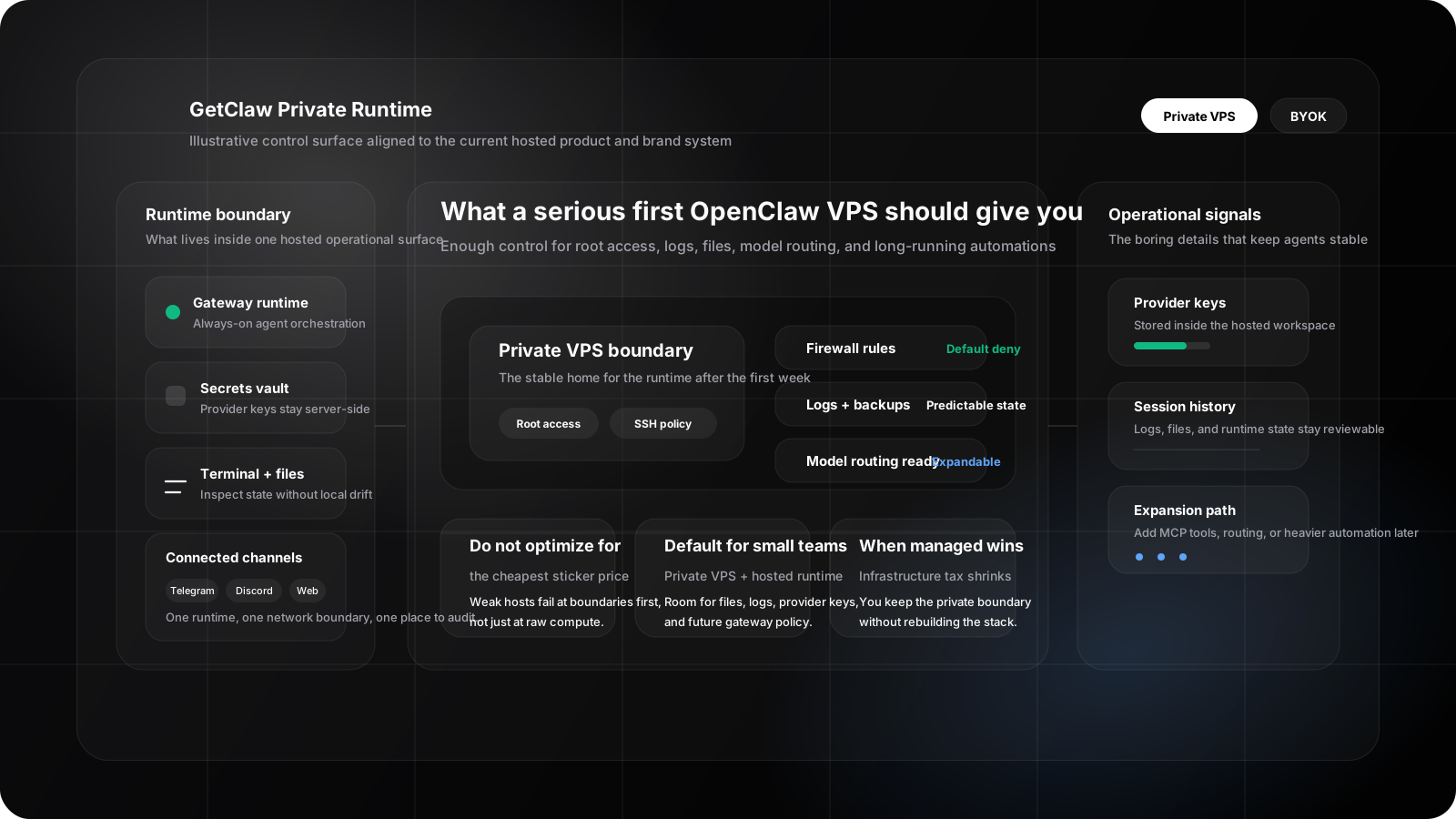
A cheap OpenClaw VPS still has to hold one private boundary: gateway, keys, files, logs, and the few ports you meant to open.
Cheap VPS vs managed OpenClaw hosting
| If your real need is... | Start with | Why the cheapest invoice is misleading |
|---|---|---|
| Prove OpenClaw installs and restarts | Tiny Linux VPS | Low cash outlay, but you own every patch and leaked port. |
| Keep keys and files off a laptop | Small private VPS with root | Cheap only if you already operate Linux. |
| Run one personal channel overnight | Modest VPS or managed host | Overnight uptime is where 2 GB plans start swapping. |
| Team channels, BYOK, files, terminal | Managed OpenClaw hosting | You buy a workspace instead of a weekend of assembly. |
| Local model or browser-heavy tools | Larger VPS / GPU later | The cheapest shared CPU plan will fail first on RAM and disk. |
| Option | Typical monthly cash | Hidden cost | Best fit |
|---|---|---|---|
| Local laptop | $0 | Sleep, mixed files, weak boundary | Demos only |
| Cheapest VPS | Often under $10 | Firewalls, backups, disk, on-call | Short tests |
| Right-sized private VPS | Mid-range VPS bill | You still own updates and recovery | Operators who like Linux |
| Managed OpenClaw hosting | See pricing | Less low-level freedom | Teams that want the agent, not the distro |
The comparison that matters is not "$5 versus a hosted plan." It is "$5 plus your time versus a private runtime you can hand to a teammate." For the spec-level buying frame, use the best VPS for OpenClaw guide. This page only ranks the cheap end of that market.
When not to buy the cheapest box
Skip the smallest plan when any of these are already true.
You need the agent every weekday. Always-on channels punish noisy neighbors, surprise reboots, and disks that fill at 2 a.m.
More than one person will touch the runtime. A $5 VPS with a single SSH user and no snapshot policy is a shared outage waiting to happen.
You are adding browser tools, MCP servers, or a second provider. Those workloads eat RAM and file storage first. Price is the last number that breaks.
You do not want to own firewalls, fail2ban, unattended upgrades, and restore drills. That work is the real invoice. If you would rather spend the evening on the agent workflow, managed OpenClaw hosting is the shorter path.
You are buying GPU because a landing page said "AI VPS." OpenClaw does not need a GPU when it calls hosted APIs. A cheap CPU VPS is still cheaper than a discounted GPU you will not use.
The provider cannot explain snapshots, primary IPs, or outbound policy. Bargain hosts sometimes omit the controls that keep an agent from becoming a public accident.
Buy the cheapest box when you are learning, when one operator owns the keys, and when you can delete the machine on Friday without hurting a customer. Otherwise pay for a clearer boundary.
Next steps
- What is OpenClaw? for the product background before you pick a box
- OpenClaw setup tutorial for install, onboarding, and the gateway check once the VPS is up
- Deploy OpenClaw to compare self-managing with the managed path
- When a cheap OpenClaw VPS starts failing for the signs you have outgrown the small plan
FAQ
Is the cheapest VPS good enough for OpenClaw?
It is good enough for a short test if it has root, SSH keys, persistent disk, and a firewall you control. It is rarely good enough for a persistent team agent, because the first failures are storage, restarts, and exposure, not the sticker price.
How much RAM does a cheap OpenClaw VPS need?
Start at 2 GB only for a single gateway and hosted APIs. Plan 4 GB or more once you add channels, files, or extra tools. If the host cannot grow RAM without a migrate-and-pray weekend, it is not a cheap long-term home.
Do I need a GPU on the cheapest VPS for OpenClaw?
No, not if OpenClaw is calling hosted model APIs. Buy GPU capacity only when local inference is a real requirement, not because the plan is on sale.
When should I skip a cheap VPS and use managed hosting?
Skip the cheap VPS when you want a private OpenClaw workspace with files, terminal, BYOK, and channels, and you do not want to spend the next weekend on Linux assembly. That is the job of managed OpenClaw hosting. Compare pricing when the question is launch cost, not distro choice.
If the cheap box is already in production and install, pairing, or 2am restarts are failing, switch to When a cheap OpenClaw VPS starts failing.
Is a cheap VPS still private?
It can be, if the machine is dedicated enough, inbound access is narrow, and keys stay in server-side secrets. A bargain VPS with password SSH and every port open is not private. It is only inexpensive.
Skip the server build and run OpenClaw on a private host.
Compare managed OpenClaw hosting with doing the VPS work yourself, then open pricing when you are ready to launch.
Not sure which path fits your deployment? Talk to us
Keep Reading
More posts from the same agent, infrastructure, and deployment cluster.
Best VPS for OpenClaw (2026): Sizing and Security Checklist
What a VPS for OpenClaw and AI agents needs: root and SSH keys, a firewall, disk for logs, sizing by workload, and when managed OpenClaw hosting is the safer path.
When a Cheap OpenClaw VPS Starts Failing: Install, Pairing, and 2am Restarts
A field guide for operators already running OpenClaw on a cheap VPS: what install and Telegram pairing failures actually mean, and when https://www.getclaw.me is the shorter path.
Best Hetzner VPS for OpenClaw Browser Agents
A practical plan-selection guide for OpenClaw browser agents on Hetzner, including when small plans are enough and when browser-heavy work needs a larger VPS.